









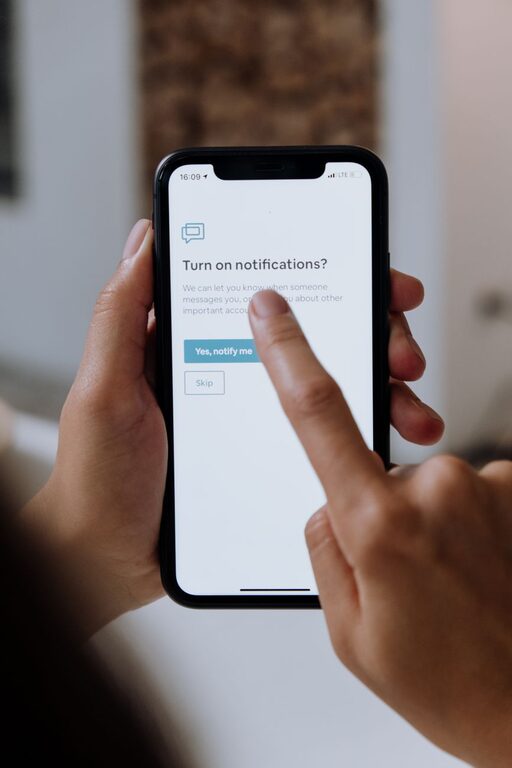
In today’s digital world, notifications from our devices are constant. While they can keep us informed, too many notifications can become overwhelming and distract us from important tasks or personal time. Setting boundaries with notifications is a key step toward enhancing your productivity and wellbeing. This article offers practical tips to help you take control of your notifications and create a more focused and peaceful environment.
Why Set Boundaries with Notifications?
Notifications are designed to grab your attention quickly. However, frequent alerts can interrupt your concentration, increase stress, and even disrupt your sleep. By setting boundaries, you can:
– Reduce distractions and improve focus
– Control when and how you receive information
– Protect your personal time and rest
– Lower stress and digital overload
Tips for Managing Notifications Effectively
1. Audit Your Notifications Regularly
Start by reviewing which apps and services send you notifications. Many times, we allow notifications by default without considering their necessity.
– Go to your device’s notification settings.
– List out all apps with permission to notify.
– Identify which ones are essential and which can be paused or disabled.
This simple step helps avoid unnecessary interruptions.
2. Customize Notification Settings by App
Not all notifications are equal. For apps you want to keep receiving alerts from, customize how and when you get notified.
– Turn off sound or vibration for less urgent notifications.
– Choose banner alerts versus pop-ups based on your preference.
– Use “Do Not Disturb” options during focus periods to silence non-essential notifications.
Most smartphones and operating systems provide granular control for each app’s notifications.
3. Use “Do Not Disturb” Mode Strategically
“Do Not Disturb” (DND) is a powerful feature to block interruptions during specific times.
– Schedule DND during meetings, work sessions, or sleep hours.
– Allow exceptions for important contacts or apps, like close family or emergency alerts.
– Use DND in combination with focus or work profiles if your device supports it.
This helps you maintain concentration or rest without permanent disabling notifications.
4. Set Specific Times to Check Notifications
Instead of reacting to every alert, create set periods during the day to review your notifications.
– Turn off automatic notification previews.
– Check messages, emails, and social media at designated breaks.
– Avoid constantly looking at your phone or computer.
This habit trains your mind to focus without the constant urge to respond immediately.
5. Limit Social Media and Messaging Notifications
Social apps are often the biggest source of notification overload.
– Turn off notifications for likes, comments, or non-urgent chats.
– Use built-in features to mute group chats or temporarily pause notifications.
– Consider uninstalling apps that are especially distracting and checking them only on schedule.
Reducing these alerts will free up mental space.
6. Use Notification Summary Features
Some devices offer notification summary or batching features that collect notifications and deliver them at chosen intervals.
– Enable summary delivery to receive less frequent, grouped notifications.
– This prevents constant interruptions throughout the day.
– Customize summary times to fit your schedule.
7. Communicate Your Notification Preferences
Let friends, family, and colleagues know when you will be available and how you prefer to be contacted.
– Set expectations for response times.
– Use status indicators on messaging apps.
– Politely ask others to respect your boundaries during work or rest periods.
Clear communication supports your efforts to manage notifications effectively.
8. Turn Off Non-Essential Email Notifications
Emails can generate a flood of alerts, many of which are not urgent.
– Filter out newsletters, promotional emails, and social updates from your main inbox.
– Set notifications only for important senders.
– Consider using different email accounts for work and personal use.
This helps reduce the noise and keeps your attention on what matters.
Benefits of Setting Notification Boundaries
By managing your notifications thoughtfully, you can expect:
– Enhanced concentration and productivity
– Better control over your time and attention
– Improved mental clarity and reduced stress
– More meaningful personal interactions and downtime
Final Thoughts
Notifications are a valuable tool but can easily become a source of distraction if left unchecked. Setting clear boundaries and customizing your notification settings empowers you to take control of your digital life. Start small by auditing your alerts and gradually implement these tips to enjoy a more focused, balanced, and peaceful experience with technology. Remember, you set the rules—notifications should support your life, not control it.